Create Talking Avatars Using Your Own Voice and Face
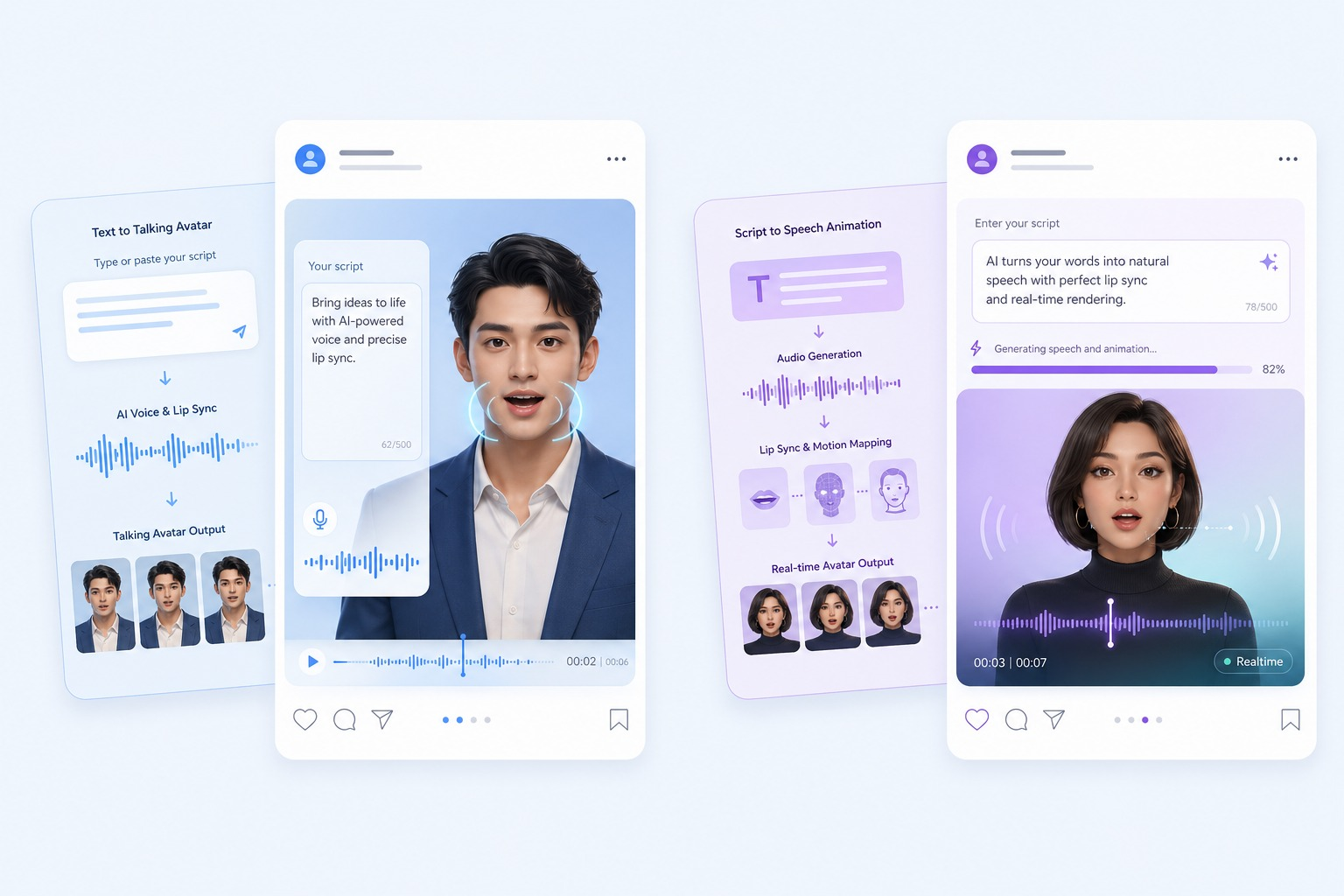
Stop recording yourself for every video—clone your voice and face into an AI avatar instead.
If you’re a coach, business owner, or content creator, you know the drill: every video requires setting up lighting, checking your appearance, recording multiple takes, and editing out mistakes. It’s exhausting and time-consuming. But what if you could create videos by simply typing text, while an AI avatar that looks and sounds exactly like you delivers the message? That’s no longer science fiction—it’s available today through platforms like DreamFace and HeyGen.
The promise is compelling: record yourself once, clone your voice and appearance, then generate unlimited videos without ever stepping in front of a camera again. But how well does this technology actually work? And which platform should you choose? Let’s break down exactly how to create your own talking avatar and compare the two leading solutions.
How to Create a Custom AI Avatar From a Single Photo
The foundation of any talking avatar system is the visual component—creating a digital version of yourself that looks realistic enough to pass as the real thing. Both DreamFace and HeyGen approach this differently, with varying requirements and results.
The DreamFace Approach
DreamFace takes a minimalist approach to avatar creation. You can create an avatar from a single high-quality photo, though they recommend using a short video clip (15-30 seconds) for better results. The process is remarkably straightforward:
Photo Requirements:
– High resolution (at least 1080p)
– Good lighting with no harsh shadows
– Frontal view of your face
– Neutral expression works best
– Plain background preferred
You upload your photo through the DreamFace dashboard, and their AI processes it within 5-10 minutes. The system analyzes facial features, skin texture, lighting patterns, and creates a 3D model that can be animated from various angles.
The single-photo option is perfect for quick avatar creation, but it comes with limitations. Avatars created from photos tend to have less natural movement and may look slightly stiff during longer speeches. The head movements are synthesized rather than captured from real motion, which can create an uncanny valley effect.
The video option produces significantly better results. DreamFace asks you to record yourself speaking naturally for 20-30 seconds while moving your head slightly. This captures your natural mannerisms, typical head movements, and facial micro-expressions. The resulting avatar feels more alive and authentic.
The HeyGen Method
HeyGen requires more upfront effort but delivers arguably more realistic results. Instead of accepting a single photo, HeyGen mandates a consent video where you:
1. Record yourself speaking a specific script (provided by HeyGen)
2. Film in good lighting conditions
3. Maintain eye contact with the camera
4. Record at least 2 minutes of footage
5. Show various expressions and head movements
This consent video serves dual purposes: it captures your likeness comprehensively and provides legal verification that you’re willingly creating an avatar of yourself. The processing time is longer—typically 30-60 minutes—but the output quality reflects this additional investment.
HeyGen’s avatars excel at natural head movements, eye contact, and subtle facial expressions. The system learns your natural speaking patterns and replicates them more accurately than photo-based systems.
The key difference: DreamFace prioritizes speed and convenience, while HeyGen prioritizes realism and quality. If you need an avatar immediately for testing purposes, DreamFace wins. If you’re building a long-term brand presence where quality matters most, HeyGen’s approach pays dividends.
Voice Cloning Process: Making Your Avatar Speak in Your Actual Voice
A realistic-looking avatar is only half the equation. The voice is what truly sells the illusion—and both platforms offer voice cloning capabilities that are genuinely impressive.
Recording Your Voice Sample
Voice cloning requires sample audio of your voice. The quality and quantity of this audio directly impact the final results.
DreamFace voice requirements:
– Minimum 30 seconds of clear audio
– Recommended: 2-3 minutes for best results
– Read provided script or speak naturally
– Record in a quiet environment
– No background music or noise
– Speak at your normal pace and volume
DreamFace’s AI analyzes your pitch, tone, speaking rhythm, accent, and vocal quirks. Within 10-15 minutes, your voice clone is ready. You can then type any text, and your avatar will speak it in your voice.
The 30-second minimum works, but voices cloned from longer samples sound more natural. With minimal audio, the AI sometimes struggles with words you didn’t say in the sample, leading to slight pronunciation oddities. The 2-3 minute sweet spot provides enough variety for the AI to handle most vocabulary naturally.
HeyGen voice requirements:
– Minimum 2 minutes of audio
– Must be part of the consent video
– Read the specific script provided
– Professional microphone recommended
– Studio-quality audio preferred
HeyGen’s higher barrier to entry results in more consistent voice quality. The mandatory script ensures the AI captures a range of phonemes, inflections, and speech patterns. The longer sample also helps the system understand your natural cadence and breathing patterns.
Testing Your Voice Clone
Both platforms allow you to test your voice clone before committing. This is crucial—not all voices clone equally well. Factors that affect voice cloning quality include:
– Accent complexity: Strong regional accents may not reproduce perfectly
– Voice uniqueness: Very distinctive voices (very deep, very high, or raspy) can be challenging
– Audio quality: Background noise or echo degrades results significantly
– Speaking clarity: Mumbled or rapid speech reduces accuracy
I recommend testing with varied content: casual conversation, professional presentation style, and emotional delivery. Your avatar might excel at one style but struggle with another.
DreamFace testing: Immediate feedback with a test generation. You can refine by uploading additional audio samples to improve specific aspects.
HeyGen testing: You get three test generations included with your avatar creation. Use these wisely to evaluate different scenarios.
The Emotional Range Challenge
Here’s where current technology shows its limitations: emotional range. Both platforms can replicate your neutral speaking voice remarkably well, but extreme emotions are challenging.
If you need your avatar to sound:
– Excited and enthusiastic
– Somber or serious
– Urgent or commanding
– Warm and empathetic
…the results will be hit-or-miss. The AI can adjust pitch and speed, but the subtle vocal qualities that convey genuine emotion remain elusive. Your avatar will sound like you reading a script, not you speaking from the heart.
For coaches and business owners, this means avatars work best for informational content, tutorials, announcements, and educational material. They’re less effective for motivational speeches, emotional storytelling, or content where authenticity and vulnerability matter most.
Comparing DreamFace and HeyGen: Features, Pricing, and Output Quality
Now for the crucial question: which platform should you choose? Let’s compare them across the dimensions that matter most to content creators.
Pricing Structures
DreamFace:
– Free tier: 1 avatar, 5 video generations per month (up to 1 minute each)
– Creator plan: $29/month for 3 avatars, 50 videos, up to 5 minutes each
– Business plan: $99/month for 10 avatars, 200 videos, up to 20 minutes each
– Enterprise: Custom pricing for unlimited usage
HeyGen:
– No free tier
– Essential plan: $48/month for 1 avatar, 30 video credits (1 credit = 1 minute)
– Pro plan: $144/month for 3 avatars, 90 video credits
– Enterprise: Custom pricing with premium features
DreamFace is clearly more budget-friendly, especially for solopreneurs testing the technology. HeyGen’s pricing reflects its premium positioning—you’re paying for higher quality output.
Output Quality Comparison
I created identical avatars and videos on both platforms to compare quality. Here’s what I found:
Visual realism:
– HeyGen: 8.5/10 – Natural movements, good lip sync, occasional minor glitches
– DreamFace: 7/10 – Acceptable realism, slightly robotic movements, noticeable artifacts in longer videos
Voice quality:
– HeyGen: 9/10 – Excellent voice replication, natural prosody, minor issues with uncommon words
– DreamFace: 7.5/10 – Good voice match, slightly synthetic sound, occasional awkward pacing
Lip synchronization:
– HeyGen: 9/10 – Excellent sync, looks natural even in close-ups
– DreamFace: 7/10 – Generally good, but occasional delays or mismatches noticeable
Background and environment:
– HeyGen: More options, including custom backgrounds and virtual environments
– DreamFace: Limited background options, mostly solid colors or simple patterns
For professional brand presence—client-facing videos, marketing content, or public-facing communications—HeyGen’s quality advantage justifies the premium. For internal training, team updates, or casual social media content, DreamFace delivers perfectly adequate results at a fraction of the cost.
Feature Comparison
DreamFace advantages:
– Faster avatar creation (minutes vs. hours)
– Lower entry barrier (single photo option)
– More affordable pricing
– Simple, intuitive interface
– Good API for developers
– Faster video generation (3-5 minutes)
HeyGen advantages:
– Superior output quality
– More realistic movements and expressions
– Better voice cloning accuracy
– Custom avatar poses and gestures
– Professional video templates
– Advanced editing features
– Multi-language support (40+ languages)
– Better handling of long-form content
Use Case Recommendations
Choose DreamFace if you:
– Are testing avatar technology for the first time
– Need quick turnaround times
– Create high-volume content where perfect quality isn’t critical
– Want to experiment with multiple avatar styles
– Have budget constraints
– Create content primarily for social media or internal use
Choose HeyGen if you:
– Need professional-quality output for brand representation
– Create client-facing or marketing content
– Want the most realistic possible avatar
– Need multilingual capabilities
– Produce longer-form educational content
– Have the budget for premium tools
– Value quality over quantity
The Technical Limitations to Understand
Both platforms share certain limitations inherent to current AI technology:
1. The uncanny valley: Even the best avatars don’t look 100% human. Viewers will know they’re watching something AI-generated.
2. Gesture limitations: Avatar hand movements and body language are generic, not personalized to you.
3. Context awareness: Avatars can’t adjust tone based on content meaning—they don’t “understand” what they’re saying.
4. Environment constraints: Avatars work best against simple backgrounds. Complex environments look artificial.
5. Update frequency: If your appearance changes significantly, you’ll need to re-record your avatar.
The Scalability Advantage
Despite these limitations, the scalability advantage is undeniable. Consider this scenario:
A business coach creates a 30-module online course. Traditional video production might require:
– 15-20 hours of recording time
– 10+ hours of editing
– Multiple days for setup and breakdown
– Stress about appearance and performance
– Costly reshoots for mistakes
With an avatar system:
– Write scripts for all 30 modules
– Generate all videos in a few hours
– Edit text scripts instead of re-recording
– No appearance concerns
– Instant updates if information changes
For content that’s informational rather than emotional, this represents a paradigm shift in production efficiency.
Making Your Decision
The choice between DreamFace and HeyGen ultimately depends on your priorities:
Start with DreamFace if you’re exploring avatar technology and want low-risk experimentation. Create your first avatar, generate some test videos, and see how your audience responds. If the technology fits your workflow and your audience accepts it, you can always upgrade to HeyGen later.
Invest in HeyGen if you’re committed to avatar-based content and quality is non-negotiable. The superior output justifies the cost if your brand depends on professional presentation.
Consider both if you have varied content needs. Use HeyGen for premium, client-facing content and DreamFace for high-volume, casual content.
The talking avatar revolution is here, and it’s more accessible than ever. While the technology isn’t perfect, it’s advanced enough to provide genuine value for creators who prioritize scale and efficiency. Stop recording yourself for every video—your AI clone is ready to take over the repetitive work while you focus on strategy, creativity, and growth.
Frequently Asked Questions
Q: Can people tell my videos are made with an AI avatar?
A: Yes, most viewers can tell, especially if they watch closely. Current AI avatars don’t look 100% photorealistic, and subtle cues like slightly robotic movements or unnatural blinking patterns give it away. However, for many use cases like training videos or informational content, viewers accept and even appreciate the efficiency of AI avatars. The key is being transparent about using the technology rather than trying to deceive your audience.
Q: How long does voice cloning take, and what’s the minimum audio needed?
A: Voice cloning takes 10-60 minutes depending on the platform. DreamFace requires a minimum of 30 seconds of audio but recommends 2-3 minutes for optimal results. HeyGen requires at least 2 minutes as part of your consent video. The quality difference is noticeable—longer samples produce more natural-sounding voice clones that handle varied vocabulary better. Record in a quiet environment with clear pronunciation for best results.
Q: Can I update my avatar if my appearance changes?
A: Yes, both DreamFace and HeyGen allow you to update your avatar by uploading new photos or videos. You’ll need to go through the creation process again, which takes the same amount of time as creating your initial avatar. Most platforms don’t charge extra for updating your existing avatar slot, but check your specific plan details. It’s recommended to update your avatar if you significantly change your hairstyle, facial hair, or overall appearance.
Q: Which platform is better for creating content in multiple languages?
A: HeyGen significantly outperforms DreamFace for multilingual content, supporting 40+ languages with your cloned voice. You can type text in different languages, and your avatar will speak them with appropriate accents and pronunciation. DreamFace offers fewer language options and the quality varies more between languages. If multilingual content is important for your business, HeyGen’s premium pricing is justified by its superior language capabilities.
Q: Are there any legal concerns with creating an AI avatar of myself?
A: Creating an avatar of yourself is legally safe since you own the rights to your own likeness and voice. Both platforms require consent verification to ensure you’re creating an avatar of yourself, not someone else. However, be mindful of how you use your avatar—some platforms prohibit using AI avatars for political campaigns, impersonation, or misleading advertising. Always review the terms of service and consider adding disclaimers to your videos indicating they’re AI-generated to maintain transparency with your audience.