Screaming Frog SEO Spider: The Complete 2025 Guide
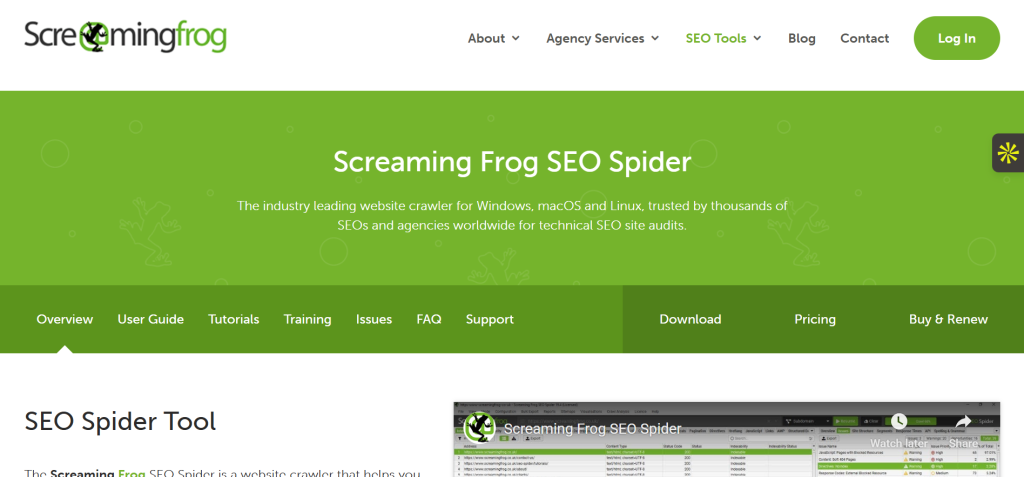
If you care about technical SEO, the Screaming Frog SEO Spider is one tool you should know inside out. At RoarEye Marketing, we use it daily to uncover issues that slow down websites, break links, or hurt rankings. Screaming Frog gives us a deep look into every technical element of a site, from missing meta descriptions to redirect chains. Whether you’re exploring Screaming Frog pricing, following a Screaming Frog tutorial, or comparing Screaming Frog vs Sitebulb, this guide will show you how it works and why it matters for your SEO success.
Screaming Frog Pricing – What You Get for Free and Paid
The Screaming Frog SEO Spider offers two plans: a free version and a paid one. Both are useful, but they fit different goals and team sizes.
Free Plan Overview (500 URLs)
The free version crawls up to 500 URLs per site. It detects broken links, duplicate pages, redirects, and missing metadata. It’s perfect for small businesses or freelance SEOs testing the waters. You can export reports and check the core website health without paying a penny.
Paid Version Breakdown (£199/year)
The paid license removes all limits. It lets you crawl unlimited URLs, render JavaScript pages, automate reports, and integrate tools like Google Analytics, Search Console, and PageSpeed Insights. The cost, around £199 per year, is fair for what it offers: professional-grade auditing power that many agencies rely on daily.
Which Version Should You Choose?
If you manage a small website, start free. If you run audits for clients or large eCommerce sites, the paid plan is worth every pound. It saves time and gives a full picture of site performance. At RoarEye, we recommend the paid plan for marketers and agencies focused on scaling.
Screaming Frog Tutorial – How to Use It for Better SEO
Getting started with Screaming Frog is easier than most expect. Once installed, you’re only minutes away from finding SEO issues hiding in plain sight.
Setting Up Your First Crawl
Open Screaming Frog. Type in your website URL. Click “Start.” That’s it. The spider will scan your site’s links, pages, images, and scripts. You’ll start seeing data populate instantly.
Understanding Key Metrics and Reports
Each column tells a story, from status codes (404, 301) to page titles, meta descriptions, and word counts. The color codes help you spot problems fast. Green is good. Red means errors that need fixing.
Using Integrations (GA, GSC, PageSpeed)
Once you connect Google Analytics or Search Console, you’ll see traffic and index data next to your crawl results. You can also pull in Core Web Vitals using PageSpeed Insights, giving a full picture of SEO performance and user experience.
Automating Crawls and Exporting Data
Schedule weekly crawls to track your site’s health over time. Export reports to Excel or Google Sheets for your team or clients. This is where RoarEye teams save hours by automating reports and comparing site versions after updates or migrations.
Screaming Frog vs Sitebulb – Which Should You Use in 2025?
The debate between Screaming Frog vs Sitebulb is common among SEOs. Both tools crawl websites, but they serve slightly different purposes.
Interface and Usability
Screaming Frog is data-first. You see raw, detailed information. Sitebulb, on the other hand, focuses on visual reports and graphs that make audits more presentation-ready.
Crawl Performance and Depth
Screaming Frog is faster and more lightweight, great for technical SEOs who want direct control. Sitebulb offers deep visualization but consumes more memory.
Reporting and Collaboration
Sitebulb shines for agencies with non-technical clients; its reports are easier to explain. Screaming Frog remains ideal for power users and experts who prefer data detail over design.
Verdict – Which One Wins for You
If you work solo or in a technical role, choose Screaming Frog. If you manage clients who need visuals and summaries, Sitebulb might suit you better. At RoarEye Marketing, we use both Screaming Frog for technical fixes, Sitebulb for client presentations.
Why Screaming Frog Is a Must-Have for SEOs
The Screaming Frog SEO Spider is an essential tool for any serious marketer or SEO professional. It helps identify crawl errors, duplicate content, and missing metadata fast. With each scan, you gain insight that improves rankings, enhances user experience, and strengthens site structure.
At RoarEye, we trust Screaming Frog for every audit because it delivers accuracy, speed, and data we can act on. Whether you’re comparing Screaming Frog pricing, following a Screaming Frog tutorial, or deciding between Screaming Frog vs Sitebulb, this tool gives you control over how search engines see your site.
FAQs
1. What is Screaming Frog SEO Spider used for?
It’s used for technical SEO audits and website health checks.
2. Is Screaming Frog free or paid?
It offers both a free plan (500 URLs) and a paid version (£199/year).
3. How many URLs can the free version crawl?
Up to 500 per website.
4. Can Screaming Frog integrate with Google Analytics?
Yes, it integrates with Google Analytics, Search Console, and PageSpeed.
5. Which is better: Screaming Frog or Sitebulb?
Screaming Frog for deep data; Sitebulb for visual reports.