AI-Powered Ad Creation: Scale Content Production Fast
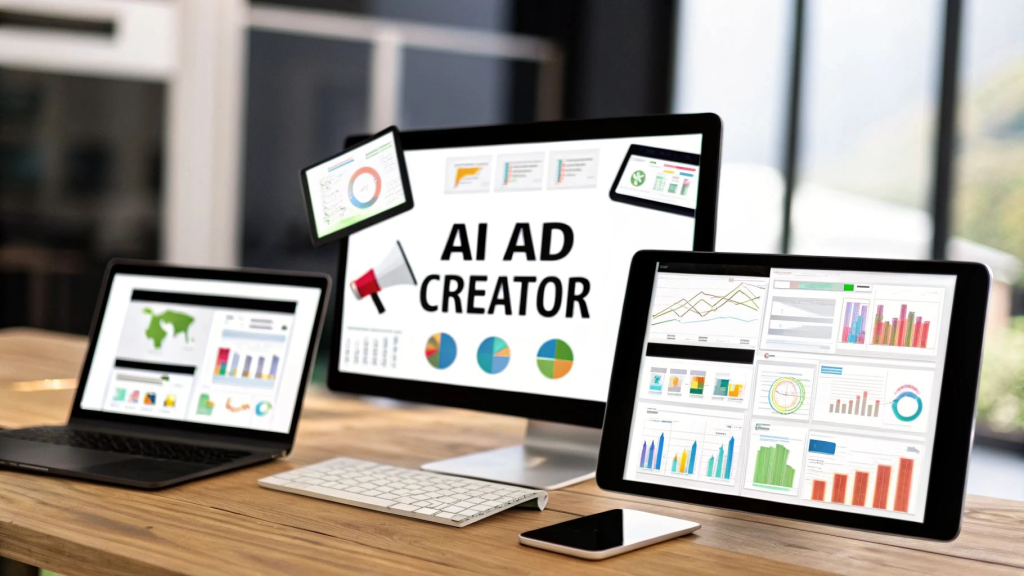
I created 32 branded social media ads in 10 minutes – here’s the exact AI workflow.
Digital advertisers waste hours creating ad variations manually, struggling to maintain brand consistency across campaigns. The typical process involves endless back-and-forth with designers, multiple revision rounds, and the soul-crushing reality that after all that work, you still need to create 15 more variations for A/B testing. If you’re running ads across multiple platforms – Facebook, Instagram, TikTok, LinkedIn – that manual workflow becomes completely unsustainable.
The good news? AI has finally reached the point where it can handle the repetitive, time-consuming parts of ad creation while keeping your brand standards intact. I’m not talking about generic AI-generated content that looks like every other ad on the internet. I’m talking about a systematic workflow that produces on-brand, platform-optimized ads in minutes instead of days.
Here’s the exact system I use.
Connect Claude AI with Canva to Generate On-Brand Ad Templates Automatically
The first bottleneck in ad creation is the initial concept and copy development. You need headlines, body copy, calls-to-action, and design direction that all work together. This is where Claude AI becomes your secret weapon.
Start by building a brand brief prompt. Before you touch any AI tool, document your brand essentials in a single prompt you can reuse. Include your brand voice (casual vs. professional), target audience pain points, product benefits, and 3-5 example ads you love. This takes 15 minutes once, then saves hours every campaign.
Here’s the workflow:
1. Feed Claude your campaign objective. Be specific: “I need 8 ad variations promoting our project management software to marketing teams, focusing on the time-saving benefit, for Instagram feed and stories.”
2. Request structured output. Ask Claude to provide headlines (5-7 words), body copy (125 characters for feed, 50 for stories), and CTA buttons. Request multiple variations with different angles – one focusing on pain points, another on aspirational outcomes, and a third using social proof.
3. Generate design specifications. This is the game-changer most people miss. Ask Claude to describe the visual composition for each ad: “Image shows busy marketer at cluttered desk, text overlay in top third, brand colors: navy blue #1E3A5F and coral #FF6B6B, minimal design with plenty of white space.”
4. Export to Canva via API or manual input. If you’re technical, use Canva’s API to automatically create designs from Claude’s specifications. If not, copy-paste the specs into Canva’s text-to-image AI feature or use them as briefs for Canva templates.
The critical insight here is that Claude doesn’t just write ad copy – it creates a complete creative brief that maintains brand consistency. You’re not getting random variations; you’re getting strategically different approaches all anchored to your brand guidelines.
Pro tip: Create a “Claude ad library” document where you save prompts that worked well. When you find a prompt that generates great results, save it with notes about which campaign it was for and what made it effective. After 3-4 campaigns, you’ll have a reusable prompt library that makes each new campaign faster than the last.
I recently used this workflow for a client launching a new product line. We needed ads for five different audience segments across three platforms. Claude generated 45 unique ad concepts with copy and design specs in 12 minutes. Previously, this would have taken our team 6-8 hours of brainstorming and copywriting.
Use insMind AI Agent to Create UGC-Style Video Ads Without Filming
Static images only get you so far. Video ads – especially user-generated content (UGC) style videos – consistently outperform static creatives in click-through rates and conversions. But producing video at scale is expensive and time-consuming. Or it was.
insMind’s AI Agent has fundamentally changed video ad production. This tool creates UGC-style video ads without requiring filming, actors, or expensive equipment.
Here’s how the workflow actually works:
1. Define your video concept. Use the ad concepts Claude generated earlier as your starting point. Pick your 3-5 strongest concepts and decide which would work better as video (usually anything demonstrating product features or showing before/after transformations).
2. Input your product and script. Upload product images to insMind and paste your script. The AI Agent analyzes your product and generates video scenarios that match your script. You can specify the style: professional product demo, casual unboxing, tutorial format, or testimonial style.
3. Customize the AI avatar. This is where it gets interesting. insMind doesn’t use the same generic AI avatar everyone else uses. You can customize demographics, setting, tone of voice, and even specific gestures or expressions to match your brand personality. Want a video that looks like a real customer filmed it on their phone? Done. Need something more polished for LinkedIn? Also done.
4. Generate variations automatically. Here’s the scale advantage: once you’ve set up one video, insMind can automatically create variations with different hooks, backgrounds, or product angles. I typically generate 4-6 variations of each video concept for A/B testing.
5. Export in platform-specific formats. The AI Agent automatically optimizes videos for different platforms – 9:16 for Stories, 1:1 for feed posts, 16:9 for YouTube. No manual resizing required.
The authenticity factor is crucial here. UGC-style ads work because they don’t look like ads – they look like real people sharing genuine experiences. insMind’s AI is trained to replicate that authentic, slightly imperfect look that builds trust. The videos include natural pauses, casual language, and the kind of genuine enthusiasm that scripted ads struggle to capture.
I tested this for an e-commerce client selling kitchen gadgets. We created 12 UGC-style video ads in about 20 minutes. These videos featured AI avatars demonstrating products in home kitchen settings, with natural lighting and casual presentation. The cost? A fraction of hiring content creators. The results? Click-through rates 3.2x higher than our static ads and a 47% lower cost per acquisition.
Important caveat: Always disclose when content is AI-generated if platform policies require it. Authenticity isn’t just about looking real – it’s about being honest with your audience.
Build Reusable Systems With Brand Kits to Eliminate Repetitive Design Decisions
The real power of AI ad creation isn’t in one-off campaigns – it’s in building reusable systems that compound efficiency over time. This is where brand kits come in.
A brand kit is your design system codified in a way that AI tools can consistently reference. Think of it as teaching the AI your brand’s visual language once, then never having to explain it again.
Here’s how to build an AI-friendly brand kit:
1. Create a master brand document. Include logo files, exact color codes (not just “blue” – the specific hex codes), typography with specific font names and sizes for different use cases, and 10-15 example ads that represent your ideal aesthetic. This becomes your source of truth.
2. Set up templates in Canva. Create master templates for each ad format you regularly use: Facebook carousel, Instagram story, LinkedIn single image, etc. These templates should have your brand elements locked in place with editable text and image zones clearly marked.
3. Build a prompt library. Document the exact prompts that work with Claude, insMind, and any other AI tools you use. Include notes about which prompts work best for which campaign types. This transforms your ad creation process from art to science.
4. Establish naming conventions. This sounds boring but it’s crucial for scale. Create a consistent system for naming ad files: [Campaign]_[Platform]_[Format]_[Variation]_[Date]. Example: “SummerSale_IG_Story_PainPoint_2024-01.” When you’re managing 50+ ad variations, this organization prevents chaos.
5. Create approval workflows. Even with AI, someone needs to review ads before they go live. Set up a simple approval system: AI generates ads → quick human review for brand alignment and accuracy → approved ads go into your ad library → deployed to platforms. This typically adds 5-10 minutes but prevents costly mistakes.
The system compounds over time. Your first campaign using this workflow might take 2-3 hours as you set everything up. Your second campaign takes 45 minutes because the infrastructure exists. By your fifth campaign, you’re creating complete ad sets in 15-20 minutes.
I worked with a digital ad agency managing 20+ client accounts. Before implementing this system, their team spent roughly 60 hours per month on ad creative production. After building brand kits and AI workflows for each client, that dropped to 18 hours per month – a 70% reduction in production time. More importantly, the quality and consistency improved because human creativity was focused on strategy and review rather than repetitive execution.
The sustainability factor matters too. Ad fatigue is real – audiences get tired of seeing the same creative repeatedly. With traditional production methods, creating fresh variations is expensive enough that brands often run the same ads too long. With AI-powered workflows, you can refresh creative weekly or even daily at minimal cost, keeping campaigns performing at peak efficiency.
The Future is Already Here
AI-powered ad creation isn’t coming – it’s here now, and it’s accessible to businesses of any size. The tools I’ve outlined (Claude for concept and copy, insMind for video, Canva for templates, and systematic brand kits) represent a complete workflow that matches or exceeds traditional production quality while operating at 10x the speed and 1/10th the cost.
The competitive advantage goes to whoever implements these systems first. While your competitors are still waiting days for their design team to produce ad variations, you can be testing, learning, and optimizing in real-time.
Start small. Pick one upcoming campaign and use this workflow for just that campaign. Document what works, refine your prompts, build your brand kit. Then scale from there.
The 32 ads I created in 10 minutes weren’t an anomaly or a best-case scenario – it’s now my standard workflow. And it can be yours too.
Frequently Asked Questions
Q: Is AI-generated ad content as effective as human-created ads?
A: When done correctly, yes. The key is using AI for execution while humans handle strategy, brand guidelines, and quality control. In A/B tests, well-crafted AI ads often perform comparably or better than traditional ads because you can create and test more variations. The real advantage is speed and volume – you can test 10x more concepts in the same timeframe, finding winning combinations faster.
Q: Do I need technical skills to implement this AI ad workflow?
A: No coding required. Tools like Claude, insMind, and Canva are designed for non-technical users with intuitive interfaces. The most important skill is being able to clearly articulate your brand guidelines and campaign objectives. If you can write a detailed creative brief for a human designer, you can work with AI tools. The learning curve for these platforms is typically 2-4 hours of experimentation.
Q: How much does this AI ad creation workflow cost?
A: Significantly less than traditional production. Claude AI costs $20/month for the Pro plan, Canva Pro is $13/month, and insMind pricing starts around $30/month depending on video volume. Total investment: roughly $60-100/month for tools that replace thousands of dollars in design and video production costs. Most businesses see ROI within the first campaign.
Q: Will audiences know my ads are AI-generated?
A: High-quality AI ads are indistinguishable from human-created content when properly executed. The key is maintaining authentic brand voice, using your actual brand assets, and having humans review output for quality. That said, some platforms require disclosure for AI-generated content, particularly for video with synthetic avatars. Always check platform policies and prioritize transparency with your audience.
Q: Can I use this workflow for all ad platforms?
A: Yes. This workflow works for Facebook, Instagram, TikTok, LinkedIn, Google Display, Pinterest, and any other platform that uses image or video ads. The key is creating platform-specific variations (different aspect ratios, character counts, and creative approaches) which the AI tools handle automatically. You input your campaign once and export optimized versions for each platform.