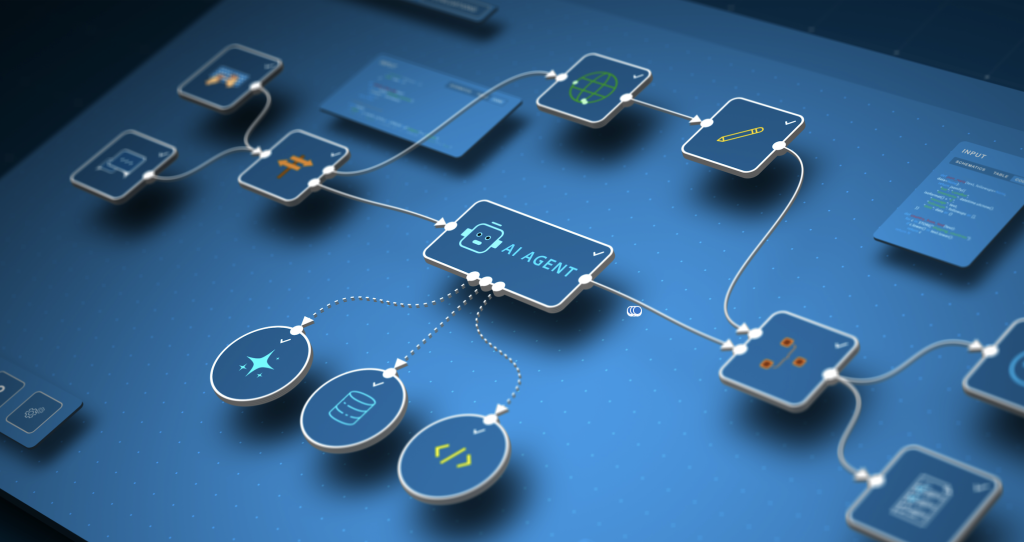
How to Build AI Agents Without Infrastructure Complexity

Claude just released Managed Agents and it changes everything about building AI agents.
For the past two years, developers have been wrestling with a fundamental problem: building production-ready AI agents requires managing an overwhelming stack of infrastructure. You need orchestration layers, error handling, state management, tool integration frameworks, logging systems, and monitoring dashboards. By the time you’ve built all the plumbing, you’ve spent weeks on infrastructure instead of solving actual business problems.
Anthropic’s new Managed Agents API changes this equation entirely. Instead of building agent infrastructure from scratch, developers can now deploy production-grade agents with a few API calls. This isn’t just another wrapper around a language model—it’s a comprehensive agent runtime that handles the complexity developers have been struggling with since ChatGPT plugins first appeared.
Act 1: Native MCP Integration Changes the Game
The most significant aspect of Claude Managed Agents is native Model Context Protocol (MCP) integration. For context, MCP is Anthropic’s open standard for connecting AI models to external data sources and tools. Before Managed Agents, implementing MCP required substantial custom code.
With Managed Agents, MCP servers connect directly to your agent without building integration layers. You define your tools once using the MCP specification, and Claude handles the orchestration automatically. This means connecting your agent to databases, APIs, file systems, or custom business logic becomes configuration rather than development work.
Out-of-the-box tool support includes:
– File system operations: Read, write, and search across your data stores
– API integrations: REST, GraphQL, and webhook support with built-in retry logic
– Database queries: Direct connections to SQL and NoSQL databases with query validation
– Custom functions: Bring your own Python or JavaScript functions as MCP tools
– Third-party services: Pre-built integrations for Slack, GitHub, Salesforce, and dozens of other platforms
The architecture is surprisingly elegant. When you create a Managed Agent, you specify which MCP servers it can access. The agent runtime maintains connections to these servers, handles authentication, manages rate limits, and provides automatic failover. All the infrastructure concerns that previously required custom code are now handled by the platform.
Authentication and security deserve special attention. Managed Agents support multiple authentication patterns:
– API keys stored securely in Anthropic’s vault
– OAuth flows for user-specific permissions
– Service account credentials with scoped access
– Custom authentication via webhook validation
You never expose credentials to the model itself—the runtime manages authentication separately from the reasoning layer. This architectural decision prevents credential leakage and enables proper security boundaries.
State management is another critical feature. Managed Agents maintain conversation context, tool execution history, and custom state variables across multiple turns. You can persist agent state for minutes or months, enabling long-running workflows without building your own state management system.
The API for creating an agent is refreshingly simple:
“`python
import anthropic
client = anthropic.Anthropic()
agent = client.agents.create(
name=”customer-support-agent”,
model=”claude-3-5-sonnet-20241022″,
instructions=”You are a customer support specialist…”,
mcp_servers=[
{“name”: “database”, “url”: “mcp://db.company.com”},
{“name”: “crm”, “url”: “mcp://crm-api.company.com”}
],
max_turns=10
)
“`
Once created, your agent is a persistent resource with its own endpoint. You can invoke it, monitor it, version it, and scale it independently—all without managing servers or containers.
Act 2: How It Compares to Existing Automation Tools
To understand Managed Agents’ position in the ecosystem, we need to compare it with existing solutions. The automation and agent space has exploded with tools, each taking different approaches to the same underlying problems.
Managed Agents vs. n8n
n8n has become the go-to platform for visual workflow automation with AI capabilities. It offers a node-based interface where you connect services, add AI steps, and build complex workflows without code.
Where n8n excels:
– Visual workflow builder that non-developers can use
– Extensive library of pre-built integrations (400+ services)
– Self-hostable with complete control over infrastructure
– Strong community and template marketplace
Where Managed Agents pulls ahead:
– Native language understanding for dynamic decision-making
– Agents can reason about which tools to use rather than following fixed paths
– Simpler mental model for developers (describe behavior vs. drawing flowcharts)
– Automatic optimization of tool usage based on task requirements
The fundamental difference is paradigm: n8n is workflow automation (if-this-then-that with AI steps), while Managed Agents is agentic automation (AI decides the workflow based on goals). For predictable, well-defined processes, n8n’s explicit workflows provide clarity and control. For tasks requiring judgment, adaptation, or handling unexpected scenarios, Managed Agents’ reasoning capabilities are superior.
Managed Agents vs. LangChain/LangGraph
LangChain has been the default framework for building custom agents since early 2023. LangGraph extends this with explicit graph-based agent workflows.
LangChain’s approach:
– Complete flexibility to customize every aspect of agent behavior
– Support for multiple LLM providers and tool frameworks
– Extensive ecosystem of community extensions
– Full control over prompting, memory, and orchestration logic
Managed Agents’ advantages:
– Zero infrastructure management—no servers, containers, or orchestration needed
– Built-in production features (logging, monitoring, versioning) that require custom work in LangChain
– Optimized performance from Anthropic’s native integration
– Simpler debugging with integrated observability
The trade-off is clear: LangChain gives you unlimited flexibility at the cost of complexity. Managed Agents gives you 80% of what most developers need with 5% of the code. For teams building custom agent architectures with specific requirements, LangChain remains the better choice. For shipping production agents quickly, Managed Agents is dramatically faster.
Managed Agents vs. Custom Implementations
Many teams have built custom agent systems directly on top of Claude’s API. This approach offers maximum control but maximum responsibility.
Custom implementations require:
– Tool execution framework with error handling
– Conversation state management across multiple turns
– Retry logic and rate limit handling
– Security boundaries between model and tools
– Logging, monitoring, and debugging infrastructure
– Version control for agent configurations
– Testing frameworks for agent behavior
Managed Agents provides all of this as a managed service. The time savings are substantial—what previously took weeks of infrastructure work becomes an afternoon of API integration.
When to still build custom:
– Extremely specific orchestration requirements
– Need for multi-model agent systems
– Regulatory requirements for on-premise deployment
– Integration with proprietary agent frameworks
For most use cases, Managed Agents’ architecture handles requirements without custom infrastructure.
Act 3: Real-World Use Cases and Implementation Strategies
The theoretical capabilities matter less than practical implementation. Let’s examine real-world scenarios where Managed Agents excels and strategies for building both simple and complex agent systems.
Single-Task Agents: Focused Automation
The simplest application is single-task agents that replace manual processes with autonomous execution.
Customer support ticket triage:
Create an agent that monitors support queues, categorizes tickets, pulls relevant customer history, and either resolves simple issues or routes complex ones to appropriate specialists. The agent uses MCP tools to access your ticketing system, CRM, and knowledge base.
“`python
triage_agent = client.agents.create(
name=”ticket-triage”,
model=”claude-3-5-sonnet-20241022″,
instructions=”””Analyze incoming support tickets.
– Check customer history in CRM
– Search knowledge base for similar issues
– Resolve if solution is clear
– Otherwise assign to appropriate team with context”””,
mcp_servers=[“zendesk”, “salesforce”, “knowledge-base”],
max_turns=5
)
“`
This agent handles hundreds of tickets daily without human intervention for simple cases, and provides comprehensive context when escalating complex issues.
Data pipeline monitoring:
An agent that monitors data pipeline health, investigates anomalies, and takes corrective action. When pipeline failures occur, it checks logs, identifies root causes, and either fixes the issue or alerts engineers with detailed diagnostics.
Content moderation:
Instead of rule-based moderation, deploy agents that understand context and nuance. The agent reviews flagged content, considers community guidelines, examines user history, and makes moderation decisions with human-like judgment.
Multi-Agent Pipelines: Complex Workflows
The powerful pattern is orchestrating multiple specialized agents into pipelines where each agent handles a specific domain.
Research and report generation pipeline:
1. Research Agent: Takes a topic, searches multiple sources, evaluates credibility, and compiles relevant information
2. Analysis Agent: Reviews research findings, identifies patterns, and generates insights
3. Writing Agent: Transforms analysis into well-structured reports with appropriate tone and style
4. Review Agent: Checks for accuracy, consistency, and completeness before publication
Each agent is optimized for its specific task with specialized instructions and tools:
“`python
Research specialist
researcher = client.agents.create(
name=”research-agent”,
instructions=”Expert at finding and evaluating information sources…”,
mcp_servers=[“web-search”, “academic-databases”, “news-apis”]
)
Analysis specialist
analyst = client.agents.create(
name=”analysis-agent”,
instructions=”Expert at identifying patterns and generating insights…”,
mcp_servers=[“data-visualization”, “statistical-tools”]
)
Writing specialist

writer = client.agents.create(
name=”writing-agent”,
instructions=”Expert at clear, engaging communication…”,
mcp_servers=[“style-guide”, “grammar-checker”]
)
“`
You orchestrate these agents by passing outputs from one as inputs to the next, creating sophisticated workflows without complex orchestration code.
Software development assistance pipeline:
1. Planning Agent: Takes feature requests, analyzes requirements, creates implementation plans
2. Coding Agent: Writes code following the plan, accessing relevant documentation and examples
3. Testing Agent: Generates tests, identifies edge cases, validates implementation
4. Review Agent: Checks code quality, security, and best practices
This pipeline transforms high-level requirements into production-ready code with built-in quality checks.
Implementation Best Practices
After deploying dozens of agents, several patterns emerge for successful implementations:
Start narrow, expand gradually: Begin with single-task agents solving specific problems. Resist the urge to build general-purpose agents that “do everything.” Focused agents are easier to test, debug, and improve.
Invest in instructions: The quality of your agent instructions directly determines performance. Spend time refining them with:
– Clear role definition
– Specific success criteria
– Examples of good and bad outcomes
– Guardrails for edge cases
– Tone and style guidelines
Monitor and iterate: Managed Agents provides detailed execution logs showing tool usage, reasoning steps, and decisions. Review these logs regularly to identify areas where agents struggle or make unexpected choices. Use findings to refine instructions.
Design for failures: Agents will make mistakes. Build systems that catch errors before they cause problems:
– Use review agents to check critical outputs
– Implement human-in-the-loop approval for high-stakes decisions
– Set confidence thresholds that trigger human review
– Create fallback behaviors for common failure modes
Version your agents: As you improve instructions and tool configurations, maintain versions so you can roll back if new versions underperform. Managed Agents supports versioning natively.
Test comprehensively: Build test suites that verify agent behavior across diverse scenarios:
– Happy path cases
– Edge cases and unusual inputs
– Error conditions and recovery
– Tool availability failures
– Rate limit and quota situations
The Verdict: When to Adopt Managed Agents
Claude Managed Agents represents a fundamental shift in how we build AI automation. By eliminating infrastructure complexity, it lets developers focus on agent behavior rather than plumbing.
Adopt Managed Agents if:
– You need production agents quickly without infrastructure investment
– Your use cases fit single-task or pipeline patterns
– You want native Claude integration with optimal performance
– You value managed scaling, monitoring, and reliability
– Your team prefers API-first development
Consider alternatives if:
– You need visual workflow builders for non-technical users (n8n)
– You require multi-model agent architectures (LangChain)
– You have extremely specific orchestration needs (custom)
– You must deploy on-premise for regulatory reasons
– You need features beyond Claude’s model capabilities
The launch of Managed Agents marks a maturation point for AI agents. Just as AWS eliminated the need to manage servers for most applications, Managed Agents eliminates the need to manage agent infrastructure for most use cases. This lets developers focus on what matters: building agents that solve real problems.
For teams considering agent automation, the calculation is straightforward: Managed Agents reduces time-to-production from weeks to days and ongoing maintenance from hours to minutes. That efficiency gain alone justifies adoption for the majority of agent use cases.
The real question isn’t whether to use Managed Agents—it’s which problems to solve first now that the infrastructure barrier has been removed.
Frequently Asked Questions
Q: What is the Model Context Protocol (MCP) and why does it matter for Managed Agents?
A: MCP is Anthropic’s open standard for connecting AI models to external data sources and tools. With Managed Agents, MCP integration is native and automatic, meaning you can connect your agent to databases, APIs, and custom tools without writing integration code. You define tools once using the MCP specification, and the agent runtime handles all the orchestration, authentication, and error handling automatically.
Q: How much does Claude Managed Agents cost compared to building custom agents?
A: While Anthropic hasn’t published detailed pricing yet, the cost comparison should factor in development time savings. Building custom agent infrastructure typically requires 2-4 weeks of senior developer time ($10,000-$40,000 in labor) plus ongoing maintenance. Managed Agents eliminates this upfront cost and reduces maintenance to nearly zero. For most teams, even premium pricing would provide positive ROI within the first month of deployment.
Q: Can I migrate existing LangChain agents to Claude Managed Agents?
A: Migration is possible but requires rethinking your architecture. LangChain agents define explicit orchestration logic and chains, while Managed Agents use instruction-based behavior. You’ll need to convert your orchestration code into natural language instructions and migrate your tools to MCP servers. The good news is that most LangChain tools can be wrapped as MCP servers relatively easily, and Anthropic provides migration guides for common patterns.
Q: What happens if a Managed Agent makes a mistake or takes an incorrect action?
A: Managed Agents provides detailed execution logs showing every tool call, reasoning step, and decision the agent made. You can review these logs to understand what went wrong. For production systems, implement safeguards like review agents that check outputs before execution, human-in-the-loop approval for critical decisions, and confidence thresholds that trigger manual review. You can also use versioning to roll back to previous agent configurations if a new version underperforms.
Q: How does Managed Agents handle rate limits and API quotas for connected tools?
A: The Managed Agents runtime automatically handles rate limiting for connected MCP servers. You can configure rate limits per tool, and the agent will respect these constraints when planning tool usage. If a tool hits its rate limit, the runtime provides automatic retry logic with exponential backoff. The agent can also reason about rate limits and adjust its strategy accordingly, such as batching requests or using alternative tools when primary options are rate-limited.