Claude AI for Advertising: Complete Tutorial
Claude just changed advertising forever—here’s exactly how to use it.
The advertising industry has a technical skills gap that’s costing agencies and performance marketers thousands of hours annually. While AI tools promise automation, most advertisers lack the coding knowledge to implement them at scale. Claude AI has emerged as the solution that bridges this gap, offering powerful automation capabilities without requiring developers on your team.
This tutorial will show you exactly how to leverage Claude for advertising—from automating copywriting and creative testing to building custom no-code apps for UGC ad generation, and finally integrating Claude into complete ad workflows that rival what tech giants spend millions developing.
Act 1: How Claude Automates Copywriting and Creative Testing for Ads
The Copywriting Automation Framework
Claude excels at understanding context and maintaining brand voice across hundreds of ad variations. Unlike ChatGPT, Claude’s 200K token context window means you can feed it your entire brand guidelines, previous winning ads, and competitor research in a single conversation.
Step 1: Build Your Brand Context Document
Create a master document containing:
– Brand voice guidelines (tone, vocabulary, restrictions)
– Top 10 performing ad copies from past campaigns
– Target audience pain points and desires
– Competitor ad examples (what works, what doesn’t)
– Product/service USPs and objection handlers
Upload this to Claude using the attachment feature. This becomes your persistent context that ensures consistency across all generated content.
Step 2: Create Your Copywriting Prompt Template
“`
Using the brand guidelines provided, generate 20 ad copy variations for [PLATFORM] with the following parameters:
– Objective: [Awareness/Consideration/Conversion]
– Format: [Headline + Primary Text + CTA]
– Length: [Character limits]
– Angle: [Pain point/Benefit/Social proof/Curiosity]
– Exclude: [Banned words/phrases]
For each variation, include:
1. The complete ad copy
2. The psychological trigger being used
3. Expected audience segment match
4. A/B test hypothesis
“`
Claude will generate variations that actually follow your brand voice while systematically testing different angles. I’ve used this approach to generate 200+ ad variations in 15 minutes that would have taken a copywriting team 2 days.
Advanced Creative Testing Strategy
The real power comes when you use Claude for strategic creative testing, not just copy generation.
The Hook Matrix Method:
Ask Claude to create a testing matrix:
– 5 different opening hooks (question, stat, bold claim, story, pain point)
– 4 value propositions
– 3 CTAs
That’s 60 possible combinations. Claude can generate all permutations, then analyze which combinations align best with different customer journey stages.
Prompt example:
“`
Create a creative testing matrix for Facebook ads:
1. Generate 5 distinct hook styles for [PRODUCT]
2. Pair each hook with 4 different value prop angles
3. Add 3 CTA variations
4. Output as a CSV with columns: Hook_Type, Hook_Text, Value_Prop, CTA, Predicted_Performance_Stage
5. Highlight the top 10 combinations for cold traffic
“`
Claude’s analysis of predicted performance is surprisingly accurate because it’s drawing from patterns in successful ads you’ve fed it.
Platform-Specific Optimization
Claude understands the nuances between platforms:
For Meta ads: Claude knows to front-load value in the first 125 characters before the “see more” break.
For Google Search ads: It prioritizes keyword inclusion and character limit optimization for headlines and descriptions.
For TikTok/YouTube: It adapts to script format with hooks in the first 3 seconds.
Simply specify the platform, and Claude adjusts accordingly. You can even ask it to convert a winning Facebook ad into TikTok script format while maintaining the core message.
Response Analysis and Iteration
Once you run campaigns, feed performance data back to Claude:
“`
Here are the performance metrics for the 20 ad variations you created:
[Paste CTR, CPC, Conversion Rate data]
Analyze:
1. Which patterns performed best?
2. What elements should we double down on?
3. Generate 10 new variations based on winning patterns
4. Suggest 3 new angles we haven’t tested
“`
This creates a feedback loop where Claude gets smarter about your specific audience with each campaign cycle.
Act 2: Building No-Code Apps with Claude for UGC Ad Generation

This is where Claude becomes truly revolutionary for advertisers. Using Claude’s Artifacts feature and API access, you can build custom tools without writing a single line of code.
Building a UGC Script Generator
User-generated content (UGC) ads consistently outperform polished brand content, but creating scripts at scale is time-consuming. Here’s how to build an automated UGC script generator:
Step 1: Use Claude Artifacts for the Interface
Prompt Claude:
“`
Create an interactive web app using Artifacts that generates UGC ad scripts.
Requirements:
– Input fields: Product name, key benefit, target audience, video length (15/30/60s)
– Output: Complete UGC script with timestamps, visual directions, and hook variations
– Style: Authentic, conversational, mobile-first
– Include: Pattern interrupt, problem agitation, solution, social proof, CTA
– Button to generate 5 alternative scripts
“`
Claude will generate a working HTML/JavaScript app in the Artifacts panel that you can immediately use and share with your team.
Step 2: Enhance with Creator Persona
Add dropdown options for different creator personas (enthusiastic friend, expert reviewer, skeptic-turned-believer, everyday user). Claude will adjust the script’s tone and structure accordingly.
Step 3: Export and Briefing Automation
Modify the app to include:
– PDF export of scripts
– Creator briefing notes
– B-roll suggestions
– Text overlay recommendations
I built this exact tool using Claude in 30 minutes. It now generates 50+ UGC scripts weekly for our creator network.
Creating a Multi-Platform Ad Formatter
Another powerful no-code app: A tool that takes one master message and reformats it for every platform’s specifications.
Prompt:
“`
Build a web app that takes one ad concept and outputs optimized versions for:
– Facebook/Instagram (Feed, Stories, Reels)
– Google Search & Display
– TikTok
– LinkedIn
– Pinterest
For each platform, adjust:
– Character counts
– Tone/formality
– CTA style
– Visual recommendations
Include a preview panel showing how each ad will appear.
“`
Claude creates a functioning app with real-time previews. This tool alone has cut our cross-platform campaign setup time from 4 hours to 20 minutes.
API Integration for Scalability
For agencies managing multiple clients, you can use Claude’s API to create automated workflows:
1. Client onboarding automation: New client fills out a form → Claude generates brand voice analysis → Creates initial campaign concepts → Outputs to project management tool
2. Weekly reporting enhancement: Pull campaign data from ad platforms → Claude analyzes performance → Generates insights and recommendations → Creates client-ready reports
3. Content calendar automation: Input monthly marketing goals → Claude creates content themes → Generates ad concepts for each week → Outputs calendar with copy variations
While this requires some technical setup (using tools like Zapier or Make.com as intermediaries), Claude’s API is remarkably simple to work with compared to other AI models.
Act 3: Combining Claude with Other AI Tools for Complete Ad Workflows
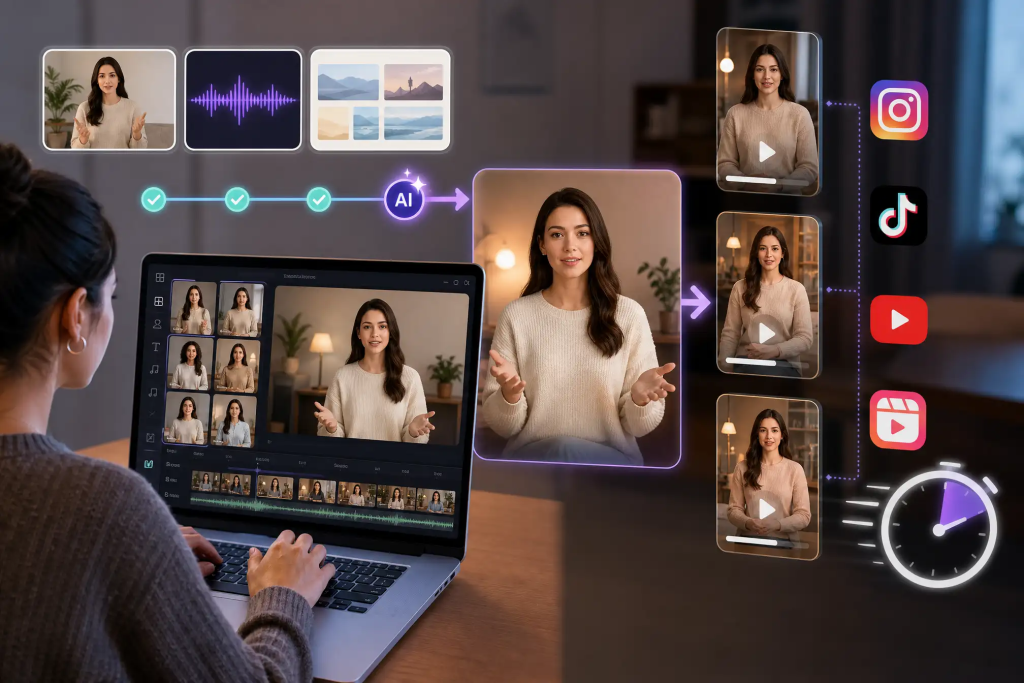
The ultimate advertising workflow combines Claude’s language capabilities with specialized AI tools for visuals, voice, and optimization.
The Complete Ad Creation Stack
1. Concept & Copy (Claude)
– Generate campaign strategy
– Write all copy variations
– Create UGC scripts
– Develop testing hypotheses
2. Visual Creation (MidJourney + Claude)
Use Claude to write optimized MidJourney prompts:
“`
Based on this ad copy [paste copy], generate 5 MidJourney prompts that will create scroll-stopping visuals.
Consider:
– Visual metaphors that reinforce the message
– Color psychology for our target audience
– Composition that works in both square and vertical formats
– Style that matches UGC aesthetic but elevated
“`
Claude understands both advertising psychology and image generation syntax, creating prompts that actually produce usable ads.
3. Voice & Video (ElevenLabs + Claude)
For video ads with voiceover:
– Claude writes the script optimized for spoken delivery
– Claude identifies the ideal voice characteristics (warm, authoritative, energetic)
– Generate voice with ElevenLabs
– Claude creates caption timing recommendations
4. Campaign Management Integration
Connect Claude to your ad platforms:
Google Ads: Export Claude-generated copy directly to Google Ads Editor format. Prompt:
“`
Format these ad variations as a Google Ads Editor CSV with proper columns for Campaign, Ad Group, Headline 1-15, Description 1-4, Final URL, Path fields.
“`
Meta Ads: Create campaign structures:
“`
Organize these 60 ad variations into a testing framework for Meta Ads:
– Campaign objective and settings
– Ad set organization (audiences, budgets)
– Ad-level details
– Recommended testing sequence
Output as a campaign brief document.
“`
The Weekly Workflow
Here’s a real workflow that runs complete ad operations:
Monday – Strategy & Creation (30 minutes with Claude):
1. Review last week’s performance data with Claude
2. Generate strategic recommendations
3. Create this week’s ad concepts and copy (50+ variations)
4. Develop UGC scripts for creators
Tuesday – Visual Production (1 hour with MidJourney + Claude):
1. Claude creates MidJourney prompts
2. Generate images
3. Claude suggests copy-image pairings
4. Finalize static ads
Wednesday – Video Production (2 hours with Claude + ElevenLabs):
1. Refine UGC scripts with Claude
2. Generate voiceovers with ElevenLabs
3. Send briefs to video editors with Claude-generated notes
Thursday – Campaign Setup (1 hour):
1. Use Claude’s formatted outputs to build campaigns
2. Set up tracking with Claude’s recommendations
3. Schedule launch
Friday – Analysis & Documentation (30 minutes with Claude):
1. Early performance analysis
2. Generate client/team reports
3. Document learnings for next week
This 5-hour weekly workflow replaces what previously took 20+ hours across multiple specialists.
Advanced Integration: Predictive Creative Strategy
The most sophisticated approach uses Claude as a strategic advisor:
Quarterly Strategic Session:
“`
You’re an advertising strategist analyzing our account data:
[Upload competitor ad library research]
[Upload industry trend reports]
Provide:
1. Performance pattern analysis
2. Untapped audience segments
3. Creative fatigue indicators
4. 5 new campaign concepts with rationale
5. Predicted performance based on historical data
6. Resource allocation recommendations
“`
Claude’s ability to synthesize massive amounts of data and provide strategic insights rivals what you’d get from an experienced strategist, but in minutes instead of days.
Measuring Claude’s Impact
Track these metrics to quantify ROI:
– Time saved: Hours spent on copywriting before/after
– Variant volume: Number of concepts you can test
– Win rate: Percentage of Claude-generated ads that beat benchmarks
– Team scaling: Clients managed per team member
– Cost per creative: Total creative costs divided by ads produced
Agencies implementing Claude comprehensively report 60-80% reduction in creative production time and 3-5x increase in testing volume.
Implementation Roadmap
Week 1: Foundation
– Compile brand voice documents
– Test basic copywriting prompts
– Generate your first 50 ad variations
– Document what works
Week 2: Systematization
– Create prompt templates library
– Build your first Artifacts tool
– Establish feedback loops
– Train team on prompting
Week 3: Integration
– Connect to visual AI tools
– Implement cross-platform workflows
– Set up performance analysis routine
– Refine based on data
Week 4: Scaling
– Expand to all clients/products
– Build custom automation apps
– Establish quality control processes
– Train creators on UGC scripts
The Future of AI-Powered Advertising
Claude represents a fundamental shift in how advertising operations work. The competitive advantage now goes to teams that can leverage AI to test more concepts, iterate faster, and maintain quality at scale—not those with the biggest creative departments.
The advertisers winning in 2024 aren’t necessarily the most creative—they’re the ones who’ve mastered AI-assisted creativity. They’re testing 10x more concepts, reaching audiences with hyper-personalized messages, and doing it all with leaner teams.
Claude has democratized capabilities that were previously only available to enterprise advertisers with dedicated data science and creative teams. A solo performance marketer can now execute campaigns with the sophistication of a full agency.
The question isn’t whether to adopt Claude for advertising—it’s how quickly you can implement it before your competitors do. Start with copywriting automation this week, build your first no-code tool next week, and begin full workflow integration within the month.
The advertising game has changed. Claude just gave you the playbook.
Frequently Asked Questions
Q: Can Claude really replace a copywriter for ads?
A: Claude doesn’t replace copywriters—it amplifies them. It excels at generating volume and variations, but human oversight is essential for strategic direction, brand authenticity, and quality control. The best approach is using Claude to handle the heavy lifting of generating variations while copywriters focus on strategy, refinement, and ensuring brand voice consistency. Teams using Claude this way report 5-10x increases in testing capacity while maintaining or improving ad quality.
Q: What’s the difference between using Claude versus ChatGPT for advertising?
A: Claude offers several advantages for advertising: a 200K token context window (vs. ChatGPT’s smaller limit) allowing you to input entire brand guidelines and campaign histories; better instruction-following for specific formats like ad specs; the Artifacts feature for building interactive tools; and generally more nuanced understanding of brand voice consistency. ChatGPT can work for ads, but Claude’s architecture is better suited for the complex, context-heavy requirements of advertising workflows.
Q: Do I need coding skills to build the no-code apps mentioned in this tutorial?
A: No coding skills are required. Claude’s Artifacts feature generates working HTML/JavaScript applications from natural language descriptions. You simply describe what you want the tool to do, and Claude builds it. You can then modify it by asking Claude to make changes in plain English. For API integrations, tools like Zapier and Make.com provide visual interfaces that connect Claude to other platforms without coding.
Q: How much does it cost to use Claude for advertising at scale?
A: Claude offers both free and paid tiers. The free tier is sufficient for individual marketers or small campaigns. Claude Pro ($20/month) provides 5x more usage and priority access—adequate for most freelancers and small agencies. For agencies managing multiple clients at scale, the Claude API offers pay-per-token pricing (extremely cost-effective, typically $0.50-$5 per campaign depending on usage). Most agencies report Claude costs being 10-20x cheaper than hiring additional creative staff for equivalent output volume.
Q: Can Claude analyze ad performance data and provide strategic recommendations?
A: Yes, Claude excels at performance analysis. You can upload campaign performance data (CSV exports from ad platforms) and ask Claude to identify patterns, explain performance variations, suggest optimization strategies, and generate hypotheses for testing. Its large context window allows it to analyze months of data across multiple campaigns simultaneously. However, Claude should complement—not replace—human strategic judgment, especially for major budget decisions or strategic pivots.